

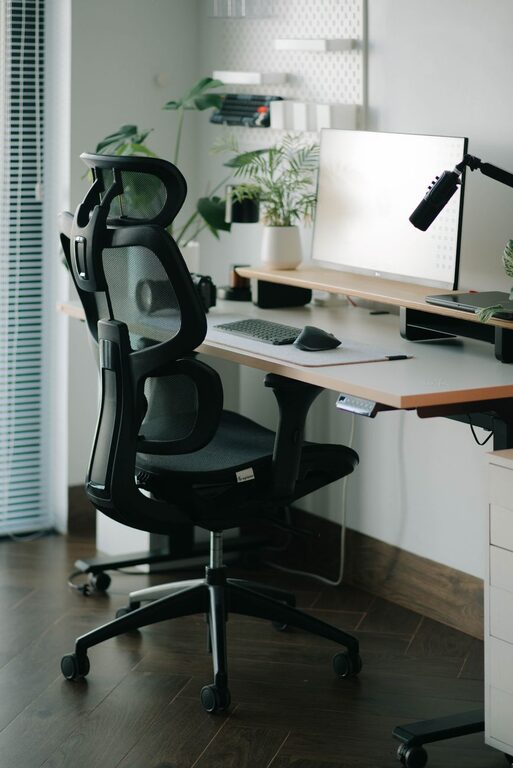
Creating a desk setup that encourages focus and comfort can significantly improve your productivity and overall well-being during work or study sessions. Whether you work from home, in an office, or attend online classes, a well-arranged workspace helps minimize distractions and reduce physical strain. In this post, we’ll walk through practical desk setup tips to help you stay comfortable and focused throughout the day.
Why Your Desk Setup Matters
The way your workspace is organized affects your ability to concentrate and work efficiently. An uncomfortable or cluttered setup can lead to distractions, fatigue, and even physical discomfort such as back pain or eye strain. On the other hand, a thoughtfully arranged desk promotes good posture, reduces stress, and creates a pleasant environment that motivates you to stay productive.
Key Elements for a Focused and Comfortable Desk Setup
1. Choose the Right Desk and Chair
– Desk height: Your desk should allow your elbows to rest comfortably at about a 90-degree angle when typing or writing. Standard desk heights range from 28 to 30 inches but adjust as needed for your height.
– Chair support: Select an ergonomic chair with adjustable height and good lumbar support to maintain the natural curve of your spine.
– Footrest option: If your feet don’t comfortably reach the floor, use a footrest to avoid pressure on your thighs.
2. Position Your Monitor Correctly
– Eye level: The top of your monitor should be at or just below eye level to prevent neck strain.
– Distance: Keep the monitor about an arm’s length away to reduce eye strain.
– Dual monitors: If you use two screens, place them side by side with minimal head movement or slightly angled inward.
3. Organize Your Desk Essentials
– Declutter: Keep only necessary items on your desk to minimize distractions. Store seldom-used items in drawers or shelves.
– Daily tools within reach: Place your keyboard, mouse, notebook, and pens where you can easily access them without stretching.
– Cable management: Use clips or cable sleeves to organize cords and keep the desk surface tidy.
4. Optimize Lighting
– Natural light: Position your desk near a window if possible to benefit from natural light, which boosts mood and energy.
– Task lighting: Use a desk lamp with adjustable brightness to provide focused lighting for reading or detailed work.
– Avoid glare: Position screens perpendicular to windows and light sources to reduce reflections.
5. Add Personal Touches Wisely
– Plants: A small potted plant can improve air quality and add a refreshing touch without cluttering your space.
– Inspirational decor: Choose a few meaningful items like photos or artwork that motivate you but avoid overcrowding.
– Colors: Calm, neutral tones tend to promote focus; bright colors can be added sparingly for energy.
Ergonomic Tips to Maintain Comfort
Take Regular Breaks
Stand, stretch, and move around every 30 to 60 minutes to prevent stiffness and improve circulation.
Maintain Good Posture
Keep your back straight, shoulders relaxed, and feet flat on the floor. Avoid slouching or leaning forward.
Use Ergonomic Accessories
– Keyboard and mouse: Consider ergonomic models designed to reduce wrist strain.
– Wrist rests: These can provide extra support when typing.
– Monitor stands: Adjustable stands help position your screen at a healthy height.
Keep Your Setup Flexible
If your work varies throughout the day, consider a sit-stand desk or a portable laptop stand to switch postures easily. Reassess your setup regularly and make adjustments as needed.
Final Thoughts
A well-designed desk setup combines good ergonomics with a clean, organized environment to support your focus and comfort. Implementing even a few of these tips can make a noticeable difference in your daily work experience. Remember, the best workspace is one tailored to your personal needs and habits, so feel free to experiment and find what works best for you.
By prioritizing comfort and reducing distractions, your desk can become a place where productivity and well-being go hand in hand.
Happy organizing!